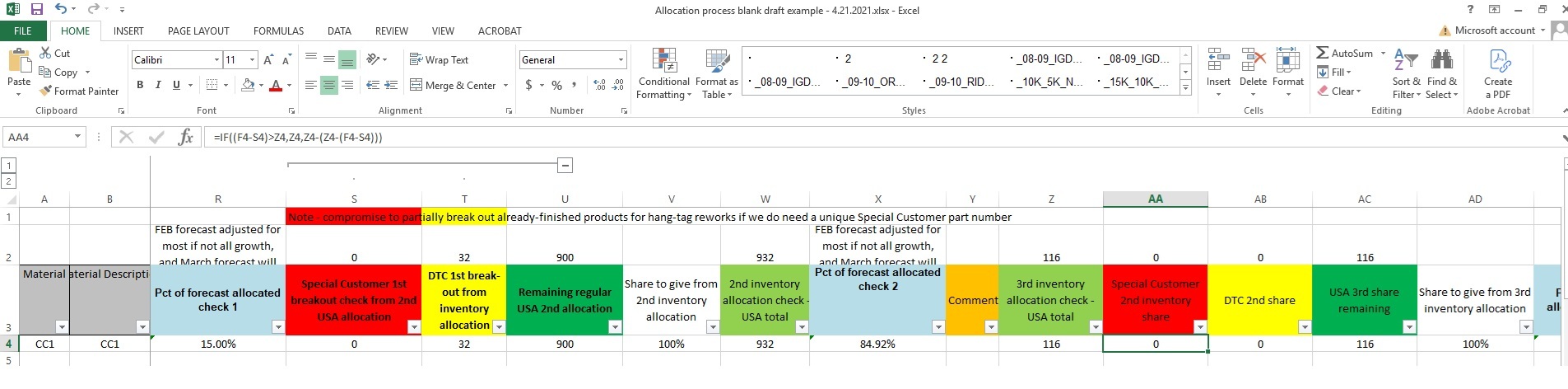
Example of my process for allocating planned factory production by region using MS Excel formulas. April 2021.
Christopher Clayton
04/21/2021
In my supply planning job, because forecasts would be updated at least every month during production season, besides creating initial product allocations for market orders by region, the next proposed market orders had to be adjusted for these forecast changes.
The below example for '1st inventory allocation' in terms of assigning a quantity of product from a particular factory production bucket to the USA region in my process essentially involved taking the current US factory forecast submitted by the Sales team, dividing by total factory forecast from all regions' submitted forecasts (in another tab in this example), and multiplying this proportion by a factor for percentage share to be assigned. 100% was assumed unless other factors to be manually adjusted by region were involved.
In this particular situation, a factor for taking into account inventory still at a first-party mainland Chinese factory was used as well. The entire formula was also rounded by carton count.
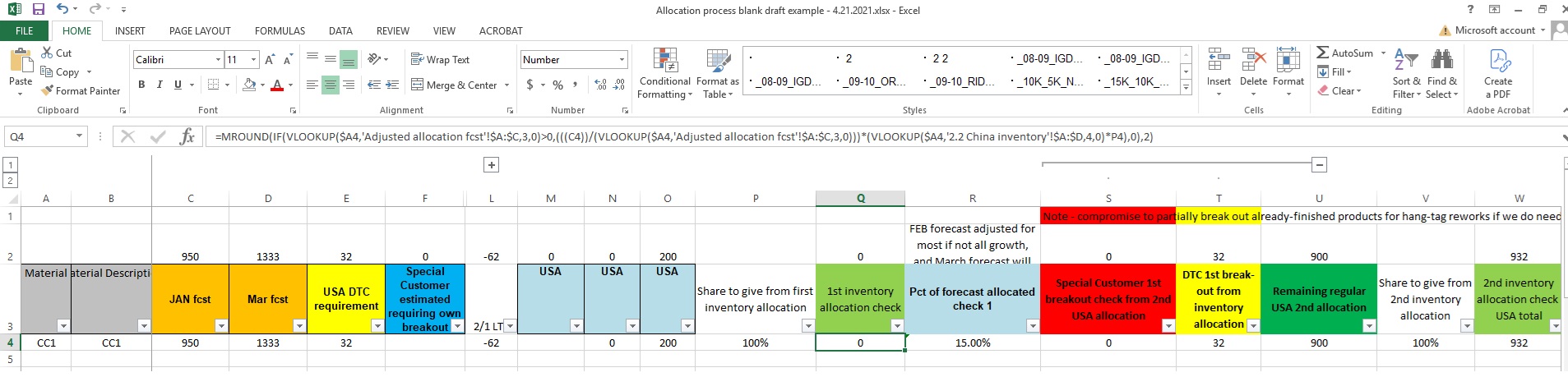
The USA further had special break-out regions to consider besides the bulk assignment, such as one special customer in particular for this product space which required its own handling and shipping procedures.
The total assignment formula proceeded as normal, except for an adjustment for any updated forecast basis. However, in the below example for this special allocation sub-set, first a check is made to see if the first order allocation already fulfilled the forecast for that special customer (forecast minus first allocation being above zero). If above zero, a regular allocation was made and no further modifications were done because this special customer was given 100% first access to US production allocations. Subsequent allocations to the US direct to consumer and US general supply allocation would subtract this out in their formulas.
Otherwise, regarding the second conditional in this example for forecast minus first allocation being equal to or below zero, this involved a test to generate a negative allocation number for manual adjustment in situations involving an overage. Then it could be manually noted for attempting to reallocate unshipped product or cancel product from assembly if caught timely.
Further allocations would then still involve subtracting out previous allocations and updating the forecast basis as needed.